





Generate Test Cases Directly from a Screenshot or UI
Upload an image of your interface, and Hootie AI builds the test cases for you. No manual writing required.
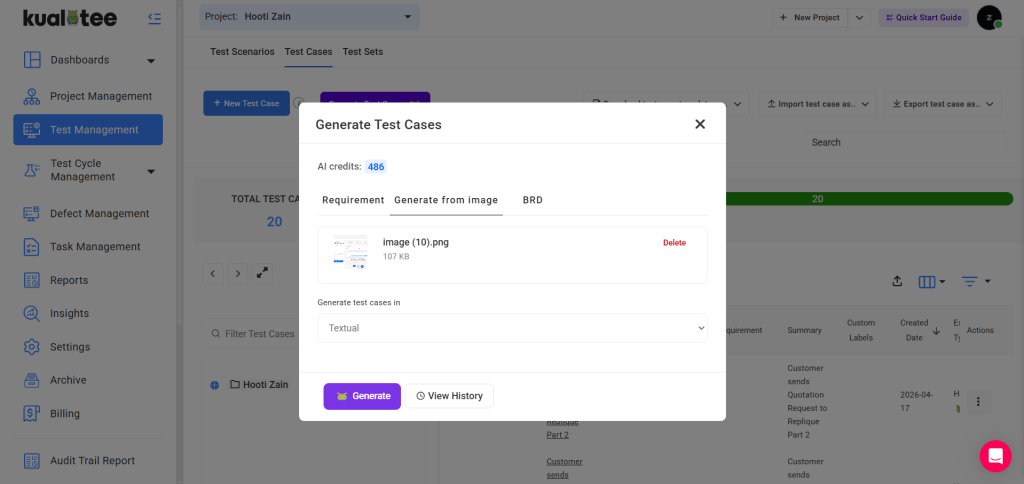
Writing test cases from a design file or live UI is one of the most time-consuming parts of the QA process. A tester has to look at each screen, interpret what needs to be verified, and translate that into structured test steps manually. One case at a time.
Hootie AI removes that step entirely. Upload a screenshot, a wireframe, or a UI element, and Hootie reads the interface and generates the relevant test cases automatically.
The output is ready to use. Cases are structured, editable, and stored directly in your Test Case Library. Teams working on fast-moving products use this most during sprint handoffs, when design files are ready, but test coverage hasn’t been written yet. Instead of catching up manually, QA can generate a full set of cases from the UI in minutes and get coverage in place before the build is done.
- Upload any screenshot, wireframe, or UI image. Hootie identifies the elements and generates test cases from what it sees.
- Cases are structured and editable. Review, adjust, and add to your library in one step.
- Speeds up sprint handoffs. Get test coverage written before the build is complete.
- Works alongside text-based AI generation. Use whichever input method fits the task.
